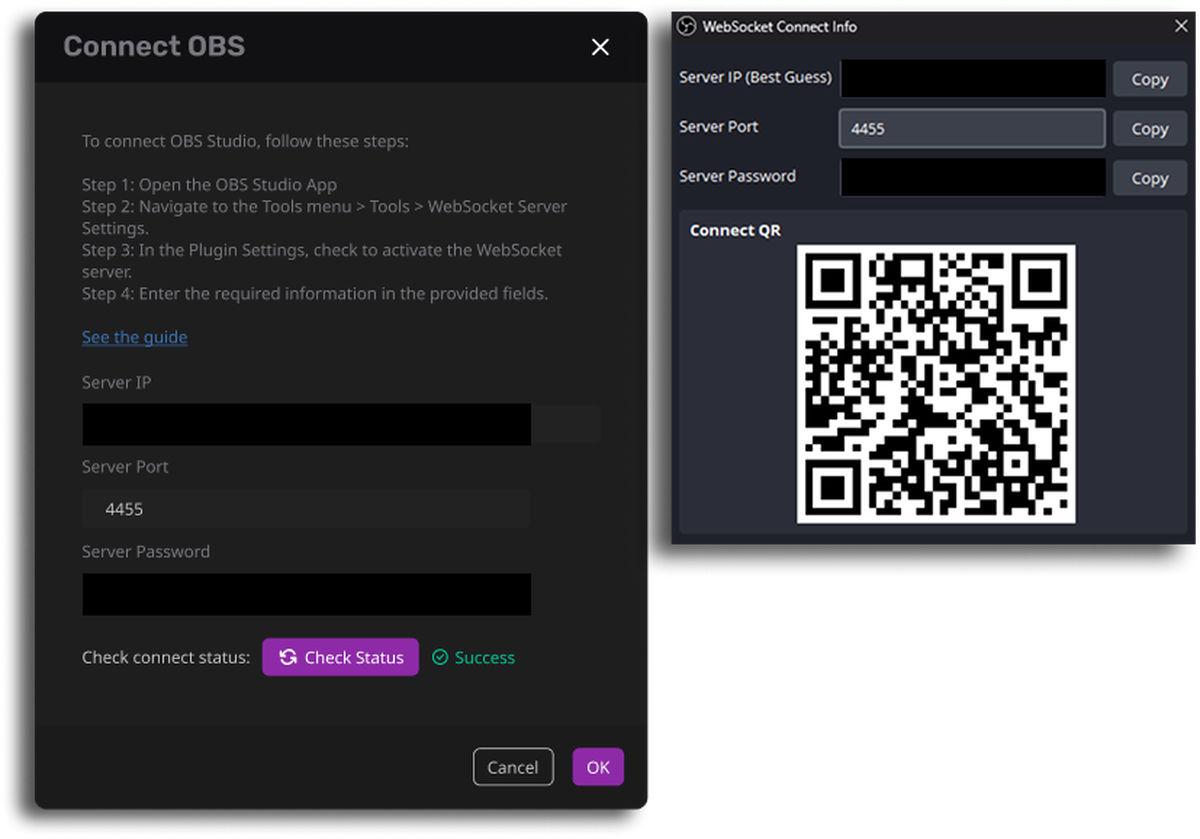
To connect OBS Studio, follow these steps:
Step 1
Open the OBS Studio App
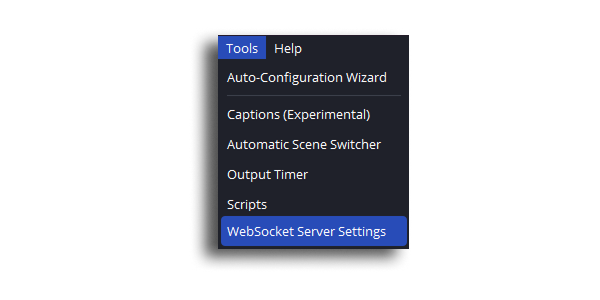
Step 2
Navigate to the Tools menu > Tools > WebSocket Server Settings.
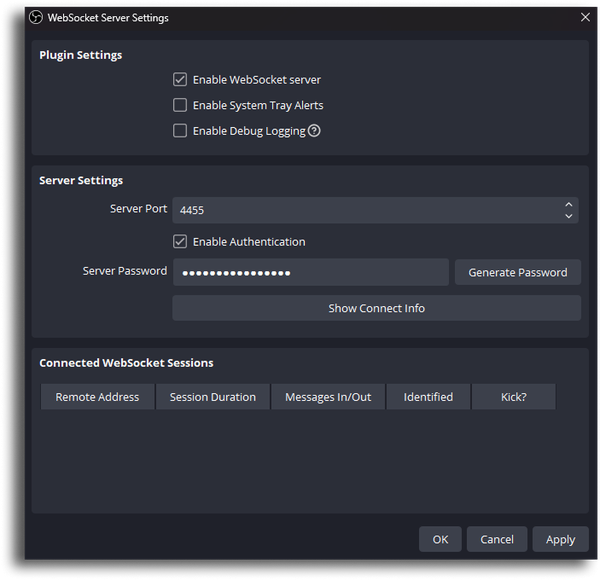
Step 3
In the Plugin Settings, check to activate the WebSocket server.
Ensure to select 'Enable WebSocket Server' and click 'Apply' to activate your settings.
Step 4
Enter the required information in the provided fields.
Please click 'Check Status' after entering the information. When 'Success' appears, press 'Save' to connect to OBS.